.png?width=202&height=60&name=Fishbowl%20by%20GoTab%20Logo%20(1).png)
Settings
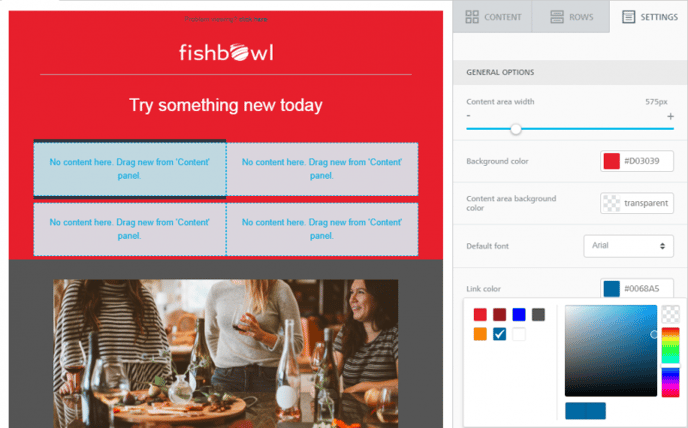
From this tab you can modify general settings that apply to the entire mailing or landing page:
- Content area width: This is the width of the area where content blocks are dropped. According to email marketing best practices, emails should be 600px or less. The default landing page width is 960px. Please note that this is the maximum width that will be used on larger devices. When the device’s screen is smaller, the content will adjust automatically to it.
- Background color: This setting is effective only for rows (and columns) where a color has not been specified. Otherwise, the background color specified for that row will be used.
- Content area background-color: The background color for the content area. This setting is effective only for rows and columns where a color has not been specified.
- Default font: The default font that will be used when another font family has not been specified. This setting affects all text set to use the global font. Link color : it's the link color. As above, this setting affects all text links set to use the default color.
- Title: A short description that will appear in the browser title bar or a page tab.
- Language: Used to identify the primary language used on the page. This is used by search engines as well as by screen readers.
- Description: Only supported for landing pages. You can use this to provide a short description of your landing page.
- Favicon: Only supported for landing pages. This is the small icon used as the website or tag icon in the browser.